Add AI to your
e-learning slides
Learners get personalized feedback from any major language model, right inside their modules. API keys, prompts, and learner data stay on your WordPress server.
See what's included — 12 features, no credit card
Compatible with LearnDash • TutorLMS • LearnPress • LifterLMS • Sensei
Powerful out of the box
12 features included free — no credit card, no time limit.
- Unlimited slides
- Unlimited memory variables (global scope)
- AI prompt generation
- 6 built-in prompt templates
- Secure server-side proxy
- AES-256 API key encryption
- Cross-domain embedding
- Formatted AI responses
- Multi-authoring tool code generator
- Universal HTML widget
- Sandbox
- Bulk export / import
What if your slides could think and remember?
SlideMind gives your e-learning modules two new abilities. One powered by AI. One that doesn't need it at all.
Dialogue Engine
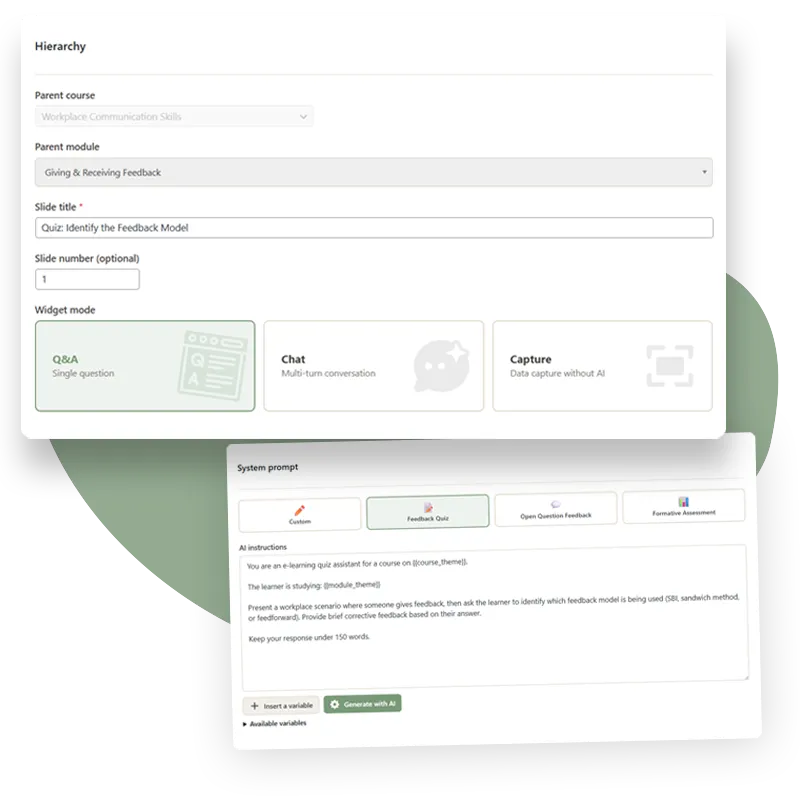
Authoring tools handle quizzes and branching just fine. But ask learners an open-ended question and you're stuck with a static "thanks for your input." The Dialogue Engine gives your slides an actual response. A learner submits an answer, the AI pulls in the course context and what it already knows about them, and replies however you've set it up.
You write the prompt. Pick the model, set the tone, control what context the AI sees.
The AI handles the response. It can score, coach, evaluate, or hold a conversation. Your call.
Works in any authoring tool. Copy a snippet into Storyline, Captivate, Lectora, iSpring, or DominKnow.
Memory Engine
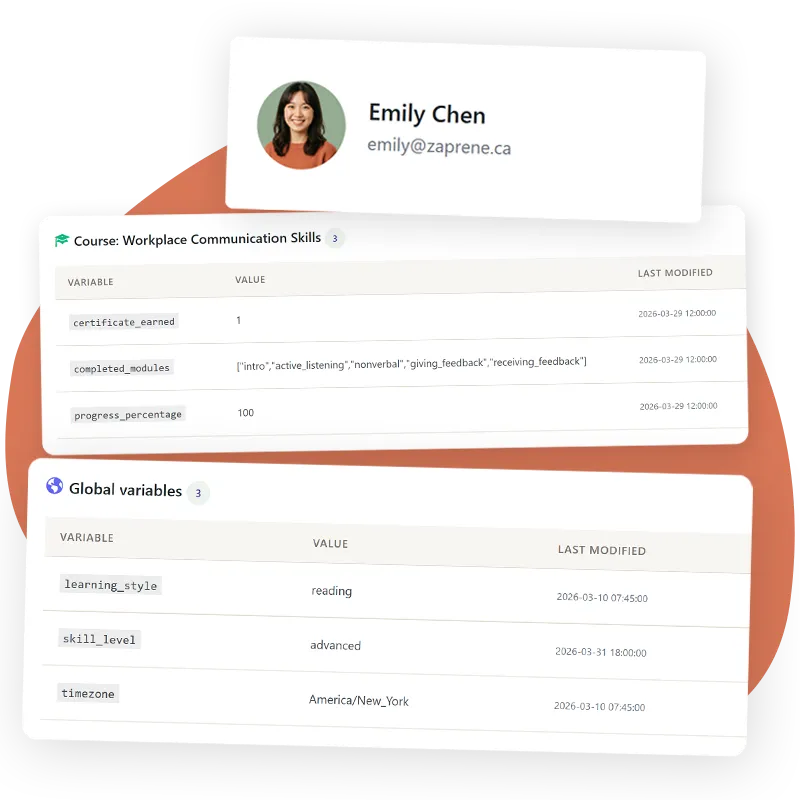
Authoring tool variables are local to each module. Whatever a learner typed, picked, or saved stays there, and the next module starts fresh, no memory of what came before. The Memory Engine fixes that. What learners enter persists across modules and courses, no AI involved.
Capture anything. Text fields, quiz answers, selections, saved as variables you name.
Recall anywhere. Pull learner data into any future module or course.
Connect to your LMS. Memory reads profile fields and community data directly from WordPress, BuddyBoss, and your LMS plugin.
What happens when a learner sends a message
SlideMind runs on your WordPress server. Here's the full path a message takes, and what protects it at every step.
Dialogue Engine and Memory Engine in one plugin. Plus analytics, model comparison, and Bridge Pro included.
- Unlimited courses, modules & slides
- Custom prompt templates
- Full sandbox with debug
- LMS & profile field sync
- Learner profiles & history
Add AI-powered feedback and interactions to your e-learning modules.
- Unlimited courses, modules & slides
- Custom prompt templates
- Full sandbox
Free memory included (unlimited global scope)
Track, store & personalize the learner experience.
- LMS & community profile fields
- Learner profiles & data
AI conversations included (unlimited slides)
Deploy at scale with granular API key control and priority support.
- Everything in Pro
- API key per module & per slide
- Priority + dedicated support
- 5 WordPress sites license
Best for agencies managing multiple client sites
14-day satisfaction guarantee — 100% refund if you are not satisfied.
Frequently
asked questions
Can't find the answer you need? Contact us
Give your slides the mind
they were missing
Start for free. Upgrade to Pro when you're ready.