The AI layer for e-learning

The mind your e-learning
slides were missing.

AI interactions and learner memory that carries across modules and courses. No code required.

Articulate Adobe Captivate Lectora iSpring DominKnow

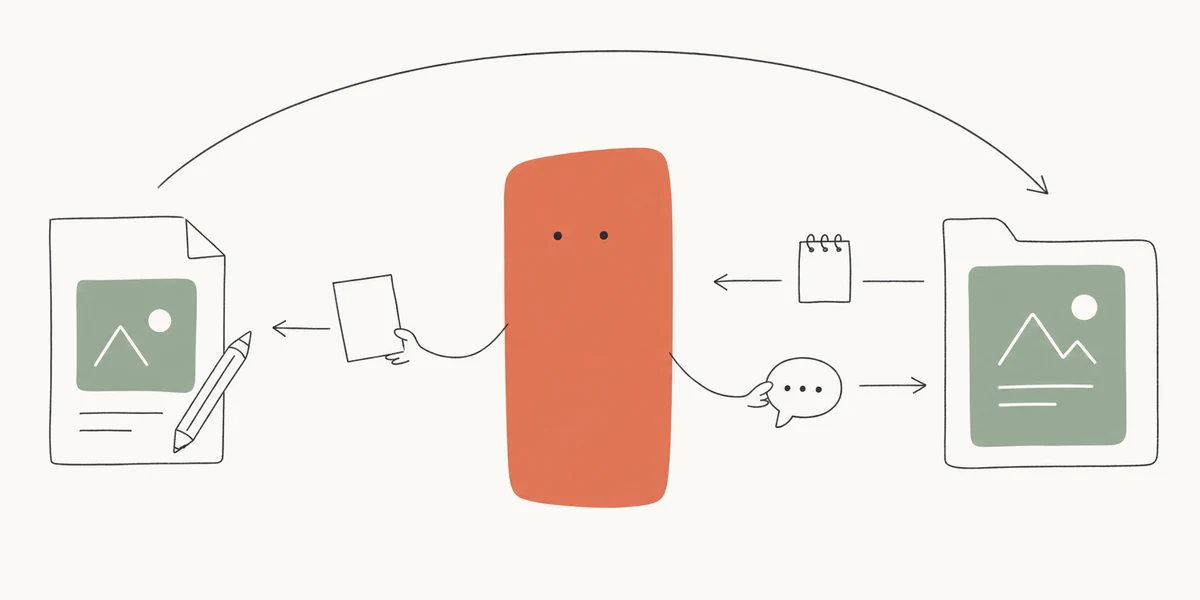
What if your slides could think and remember?

SlideMind gives your e-learning modules two new abilities. One powered by AI. One that doesn't need it at all.

AI-Powered

Dialogue Engine

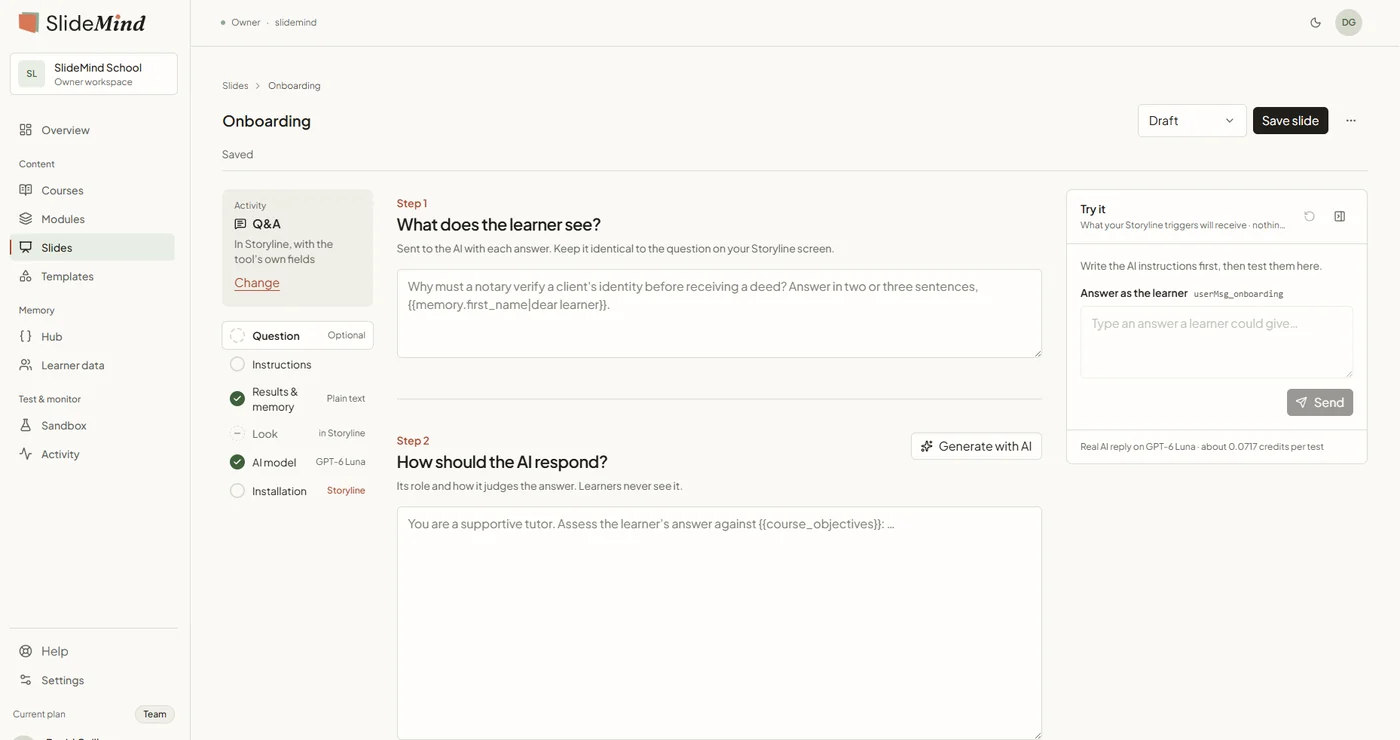
Authoring tools handle quizzes and branching just fine. But ask learners an open-ended question and you're stuck with a static "thanks for your input." The Dialogue Engine gives your slides an actual response. A learner submits an answer, the AI pulls in the course context and what it already knows about them, and replies however you've set it up.

You write the prompt. Pick the model, set the tone, control what context the AI sees.

The AI handles the response. It can score, coach, evaluate, or hold a conversation. Your call.

Works in any authoring tool. Copy a snippet into Storyline, Captivate, Lectora, iSpring, or DominKnow.

SlideMind Dialogue Engine — AI-powered conversation in an e-learning slide
AI-Free

Memory Engine

Variables in authoring tools reset when the module closes. Anything a learner typed, picked, or finished is gone. There's no built-in way to carry that across courses. The Memory Engine stores it. Whatever learners enter persists across modules and courses, no AI involved.

Capture anything. Text fields, quiz answers, selections, saved as variables you name.

Recall anywhere. Pull learner data into any future module or course.

Connect to your LMS. On WordPress, Memory can also read profile fields and community data.

SlideMind Memory Engine — persistent learner variables across courses

See it in action

Experience some use-cases where SlideMind personalizes learning, from your learners' perspective.

Course 101 — Onboarding

Welcome! Let's personalize your experience.

This information helps us adapt the course to you.

Open Question

What do you hope to learn from this course?

Course Catalog
4 courses available
Course 101
Onboarding
Beginner · 30 min · Free
✓ Completed
Course 202
Data Visualization
Intermediate · 45 min · $29
▶ Start now

Welcome to Course 202

Data Visualization

2.1 Welcome 202
if —
if —
if —
2.3
2.2
2.4

Let's discuss
what you know
so far

SlideMind
●●●

This was just a glimpse.

Capture learner data, personalize feedback, route content paths, sustain conversations across courses — these are just a few of the scenarios SlideMind makes possible.

See what's included →
Learner Memory
No data yet
name
job
q1
a1
What's going on?

You can capture any learner data from slide interactions and store it in persistent memory — no AI involved, just the fields you choose.

Works with your tools

Authoring tools
Language models
Setup wizard
Connect a model and generate your first interactive slide in 5 minutes. The wizard handles API configuration, prompt setup, and code generation. No coding required.
SlideMind 4-step setup wizard
Code generator
Ready-to-paste snippets for Storyline, Captivate, Lectora, DominKnow, and iSpring. Pick your authoring tool, copy the code, paste into your slide. Done.
SlideMind code generator with copy button
Sandbox
Test prompts and models in real time before publishing. Includes a debug panel showing token usage, response time, and raw API output.
SlideMind sandbox with prompt testing and debug metrics

Templates

6 built-in prompt templates for quizzes, tutoring assistants, scenario coaches, and feedback loops. Create your own custom templates with Pro.

Secure by default

API keys encrypted with AES-256, never exposed to learners. Rate limiting on by default. GDPR data export, erasure, and auto-retention built in. Zero setup.

Choose your platform

Same technology, adapted to your stack. Pick where you work.

Available now

WordPress Plugin

Self-hosted on your WordPress site. Works with LearnDash, TutorLMS, LearnPress, LifterLMS, and Sensei.

Free $0 Unlimited slides, 5 memory variables
Modules from $49/yr Unlock one engine at a time
See full pricing

14-day free trial on all paid plans

Coming soon

Cloud

Works with any LMS, any platform. No WordPress required. Same Dialogue and Memory engines, hosted for you.

Pricing will be announced when the cloud version launches.

Thanks! We'll let you know when it launches.
Free WordPress companion plugin

Already using SCORM/xAPI packages?

SlideMind Bridge lets you upload, play, and track SCORM & xAPI content directly in WordPress, with automatic LMS bridging to LearnDash, TutorLMS, LearnPress, LifterLMS, and Sensei. Works with any authoring tool.

SCORM 1.2 & 2004 xAPI / Tin Can Auto-detect 5 LMS plugins Gutenberg block & shortcode

With SlideMind Pro: unlock detailed reports, KPI dashboards, and external LRS forwarding.

Free
Pro from $39 USD/yr
Discover Bridge

Privacy built into every layer

Instructional designers shouldn't have to think about data compliance. SlideMind sits between your content and the language models. You decide what gets shared, and nothing else leaves.

Your Content
E-Learning Module
Storyline • Captivate • Lectora • iSpring • DominKnow
Secure Layer
SlideMind Proxy
Encryption • Rate Limiting • Memory • Routing
Language Models
LLM Provider
OpenAI • Anthropic • Google • Mistral • OpenRouter
You control what the AI sees
Only what you select gets sent to the language model. Learner names, emails, personal details? They don't go anywhere unless you put them there.
Any model, any time
Start with GPT-4, switch to Claude tomorrow. Change providers from the dashboard — your slides don't need to change.
Conversations stay private
SlideMind doesn't store conversations. It logs token counts and response times for cost tracking, nothing else. Learner memory is opt-in and stays under your control.

Frequently
asked questions

Can't find the answer you need? Contact us

API keys are encrypted with AES-256 and stored server-side. They never reach the learner's browser. With the WordPress plugin, keys stay on your own server. With the SaaS, they're in our encrypted vault. All communication uses HTTPS/TLS.
No. The setup wizard and code generator handle the technical parts. You copy a small snippet into your authoring tool, the same way you'd embed a YouTube video. If you can paste code, you can use SlideMind.
SlideMind is the gateway; you bring your own API key. Costs depend on which model you use and how much your learners interact. Most e-learning use cases cost fractions of a cent per interaction. You can set rate limits to control spending.
Pro gives you both AI Dialogue and Persistent Memory in one license, plus analytics, model comparison, per-course API keys, and Bridge Pro. At $89 USD/yr, that's about 10% less than buying Dialogue ($49 USD/yr) and Memory ($49 USD/yr) separately. If you only need one side, you can start with just Dialogue or just Memory and upgrade to Pro later.
Articulate Storyline, Adobe Captivate, Lectora, DominKnow, iSpring, and any editor that supports JavaScript execution or xAPI. If your slides can run a script, they can use SlideMind.
Yes. SlideMind abstracts the provider layer, so you can switch from GPT-4 to Claude to Gemini from the dashboard. Your published modules don't need any changes. This also protects you if a provider raises prices or goes down.
SlideMind Bridge is a free companion plugin that lets you upload and play SCORM & xAPI packages in WordPress. It auto-bridges completion and score data to your LMS (LearnDash, TutorLMS, LearnPress, LifterLMS, or Sensei). A Pro upgrade adds detailed reports and external LRS forwarding.
Not yet — but soon. A universal, platform-agnostic version of SlideMind is in development and expected to launch later in 2026. It will work with any LMS, regardless of your tech stack. Leave your email in the Cloud section above and we'll notify you when it's ready.

Give your slides the mind
they were missing

Start for free. Upgrade to Pro when you're ready.