Course
Set the foundation.
Define the course theme, learning objectives and reference content.
Example · New employee onboarding
- Company values
- Onboarding objectives
 Log in See it in action FR
 How it works
Start with an open question in a course you already have. Prepare the activity in the SlideMind web application, then bring it into Storyline or Rise.
Start with one activity in your own course.

What your first activity needs.
In SlideMind
Choose Q&A for an open question with feedback, or Chat for a written conversation. Set the learning objective, the question or situation, and the instructions that guide the AI.
Give the AI the facts it needs, the criteria to apply and the tone of its response.
Explore Dialogue Engine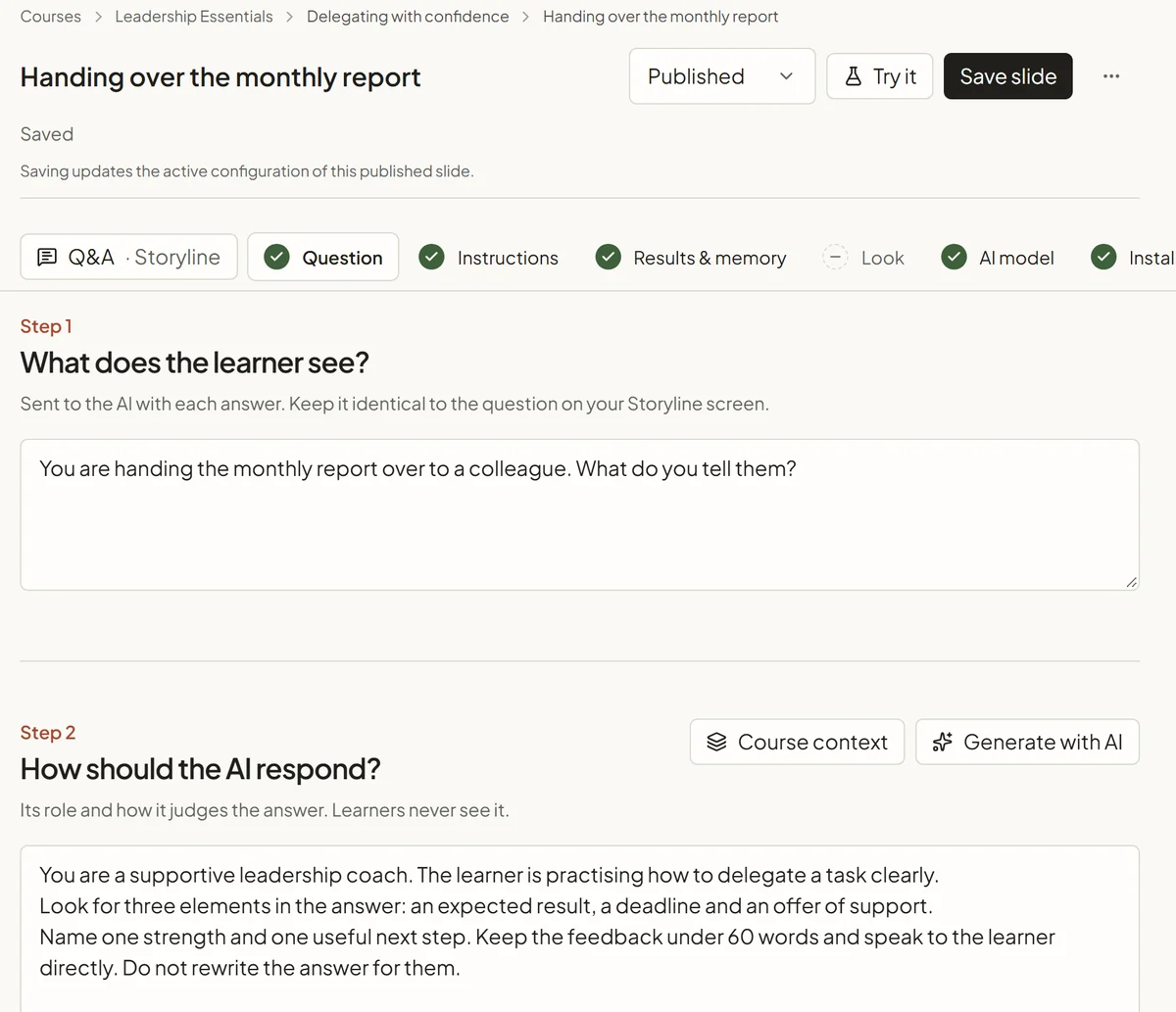
Before integration
Use the “Try it” button in SlideMind to test the activity. Try a partial answer, a complete answer and an off-topic reply. Check that the feedback follows your criteria, then adjust the instructions.
Each test is an AI request. With managed AI, it uses credits.
See the feedback examplesYou are handing the monthly report over to a colleague. What do you tell them?
Partial answer
Partially correct4 / 10
Can you take care of the monthly report this time?
Your request is clear. Add when you need it and what a finished report includes.
Complete answer
Good answer9 / 10
Could you prepare the monthly report by Friday noon, with the three sales charts? I’m free Thursday morning if you want to go over it.
You give the expected result, a deadline and your support. Next time, say why the report matters to the team.
Off-topic reply
Not quite1 / 10
I’ll just do it myself, it’s faster.
This keeps the task with you. Try handing it over: what result do you expect, and by when?
In your authoring tool
A widget is a ready-made block with the question, answer field and feedback, or a conversation interface. SlideMind generates the integration code. Widgets also work on any HTML page.

Copy the generated snippet into a Rise Code block. This block requires the Articulate licence described on the integration page.
Explore the Rise integration
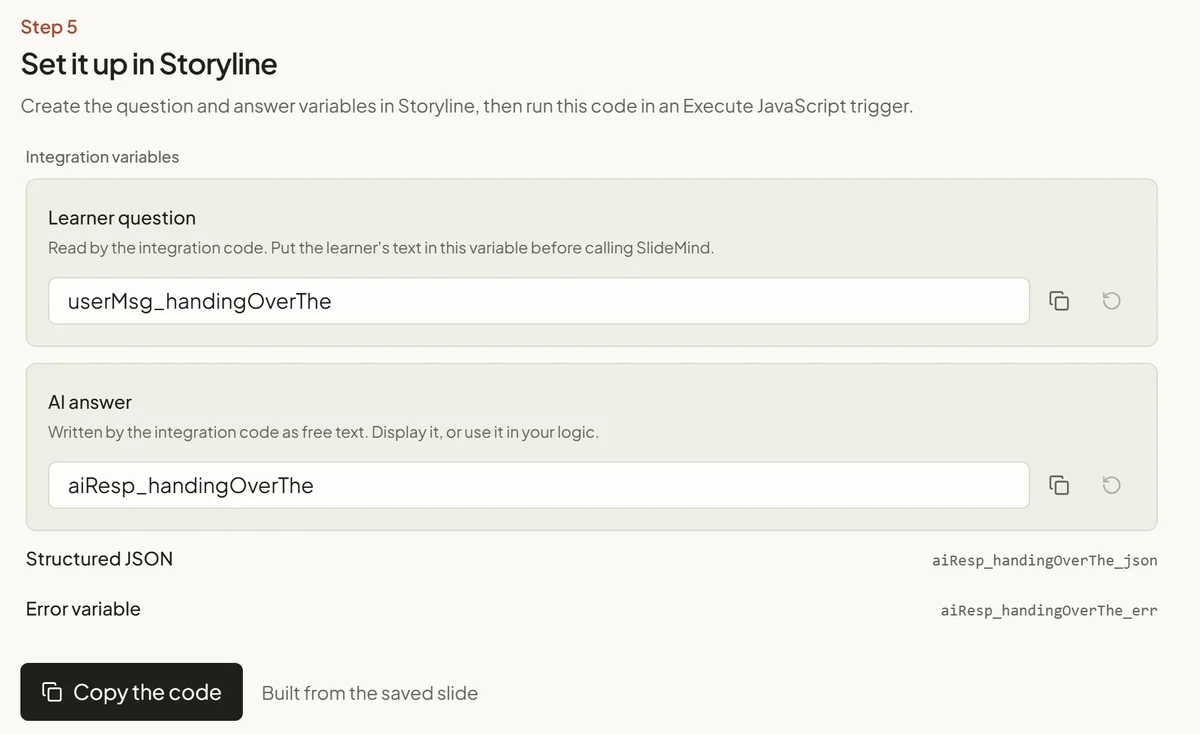
Connect variables, the named values that hold an answer or result, to the generated code. A trigger runs it when the learner submits an answer. Or insert the Q&A or Chat widget as a Web Object.
Explore the Storyline integrationIn the published course
Publish in your learning management system (LMS), the platform that delivers your courses and tracks progress. Check the activity there with a learner account.
In Rise, the score stays in the widget: SlideMind passes only the completion to Rise. A Continue block can wait until the learner sees the feedback. In Storyline, you connect returned values to your own scoring and completion rules.
An LMS is optional for Q&A and Chat: they also work on a web page. Learner memory needs one, because the LMS tells SlideMind who the learner is.
Practical questions
SlideMind generates the integration code. Paste it into a Rise Code block, or connect variables and triggers in Storyline. In Storyline, the Q&A and Chat widgets also fit in a Web Object. The integration pages walk through each approach.
Yes. Choose one activity, connect it to SlideMind and check the result in the published course before adding more.
Not for AI feedback and conversations: the widgets also work in a Web export or on any HTML page. Learner memory does need to know who the learner is. The LMS usually supplies that identity; the integration also accepts an identifier you provide.
No. Learners use the widget inside your course. When your LMS provides it, the widget identifies them automatically.
The preview does not provide the learner’s identity: the widget works there, but without memory. The same applies to a Web export without an LMS.
That needs to be checked in your environment. Publishing format, network restrictions, embedded content and learner identification can affect the result. A supported code generator is not a guarantee for every LMS configuration.
Keep the idea going.
A reflection, a scenario or a goal worth remembering can be a useful first step.
May we use Google Analytics cookies to understand visits and improve this site? Your demo answers are not sent. You can change your choice at any time.
Privacy policy