See it in action FR
Menu

Security & data

Your learners’ data, under your control.

Adapting a course to each learner means using information about them. Choose what each activity needs, see where it goes and decide how long SlideMind keeps it.

  • Hosted in Québec, Canada
  • Learner information and API keys encrypted
  • No model training on your data
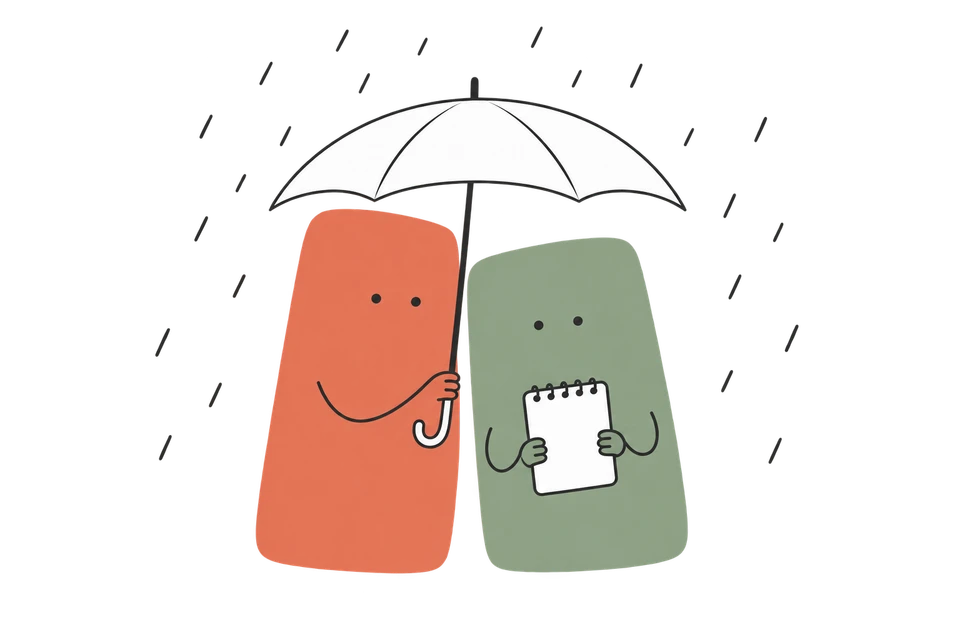
SlideMind shelters the course character and its notebook under an umbrella while rain falls around them

Where the data goes

Follow a learner’s answer.

  1. Your course

    Your LMS or web page

    Sends the learner’s answer, the variables you connect and an identifier, usually supplied by your LMS.

  2. SlideMind

    Québec, Canada

    Saves only the values you choose, encrypted, and prepares the request from your instructions.

  3. The AI provider, when needed

    The provider’s own locations

    Generates the response under its own terms. SlideMind sends it back to your course.

A memory-only activity stops at SlideMind: it saves and retrieves values without any AI request.

Application & database

Hosted in Québec, Canada.

The SlideMind application and its database run on OVHcloud servers in Beauharnois, Québec. Backups are kept in the same region.

An AI request is processed by the provider, under its own terms and in its own locations.

Understand provider processing

Why Québec?

Québec has one of the most demanding privacy laws in North America. Under Law 25, organisations must assess the risks before sending personal information outside the province, report serious confidentiality incidents to the Commission d’accès à l’information, and face penalties of up to 25 million dollars or 4% of worldwide revenue.

The European Union also recognises that Canada provides an adequate level of protection for data handled by businesses, a status it confirmed in 2024; the United Kingdom and Switzerland recognise it too. Personal data from these countries can be entrusted to SlideMind without an additional transfer mechanism. This applies to SlideMind’s hosting: AI requests follow the provider’s terms and locations.

Protection

How SlideMind protects what it keeps.

  • Encryption

    Learner identifiers, saved learner values and provider API keys are encrypted with AES-256-GCM, using a separate key for each workspace. All connections use HTTPS.

  • Encrypted backups

    The database is backed up every six hours. Each backup is encrypted before it leaves the server, and the key that decrypts it is not kept there. Copies are kept for 30 days.

  • Separate workspaces

    Each workspace’s data is isolated in the database: one workspace can never read another’s. Courses only reuse the values you choose, and access is rate-limited and monitored.

  • Protected accounts

    Sign-in requires a verified email address. Two-factor authentication is available, you can review and close active sessions, and sensitive actions are recorded in a log the workspace owner can consult.

Your settings

Decide what SlideMind keeps, and for how long.

What is kept
SlideMind doesn’t keep what learners write, except the values you choose to save in memory. A value can be short, such as a goal, or a whole conversation and its summary if you set it up that way.
For how long
Learner memory is kept until you delete it, unless you set a retention period. Interaction logs are kept for 90 days by default. The workspace owner can change both periods.
Interaction logs
Each AI request is logged with the model, its cost and duration, the website that sent it and the learner’s IP address. These logs don’t include the learner’s answer, the AI’s reply or the learner identifier.
Review and removal
The workspace owner can search, export and delete a learner’s saved information at any time. Deleted information disappears from backups within 30 days.
Where activities appear
You can limit the websites allowed to display your activities.
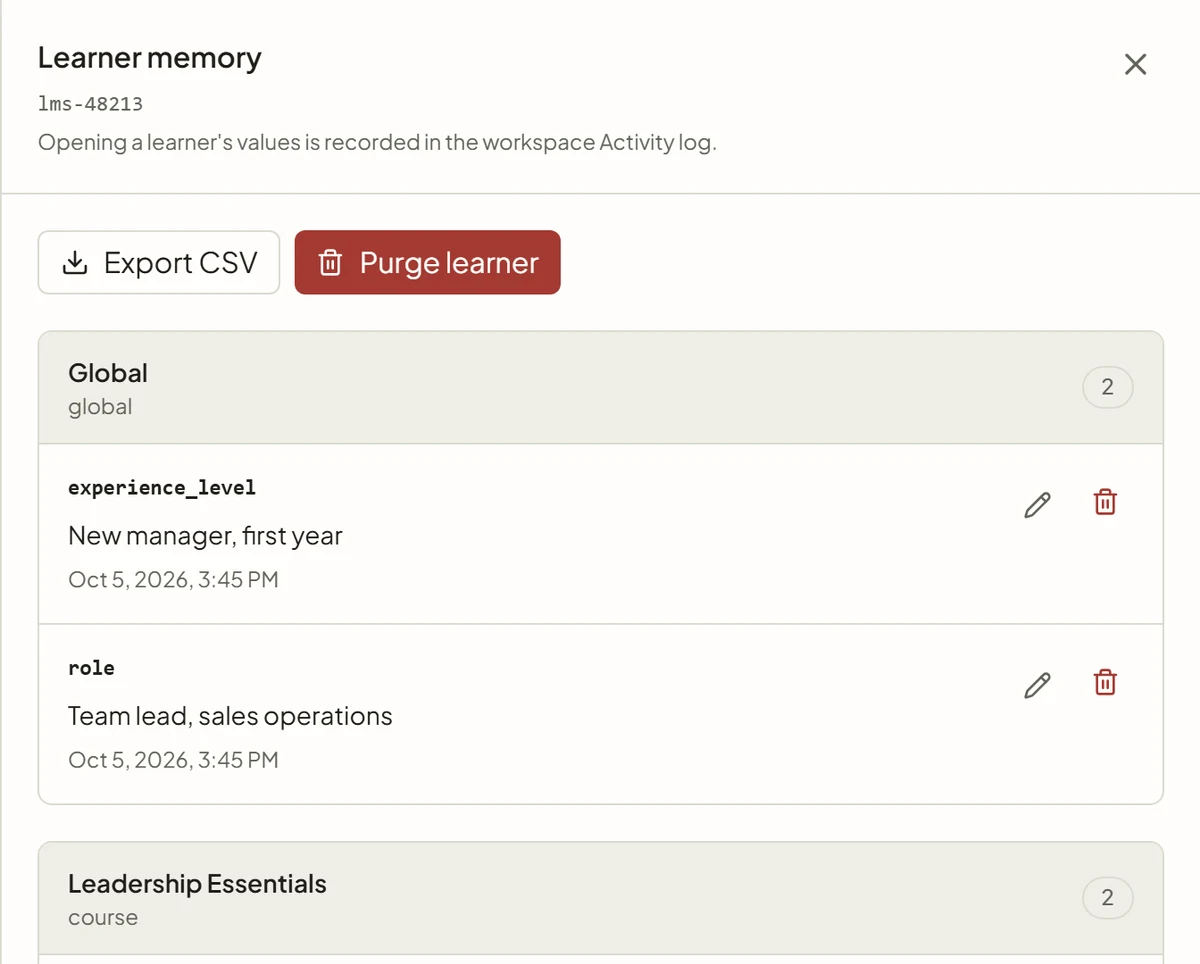
The learner data screen in SlideMind: the values saved for one learner, grouped by scope, with buttons to export them as CSV or purge the learner.
A learner’s saved values, ready to export or purge. Opening them is recorded in the Activity log.

Your learners

Tell learners when AI is involved.

For a Q&A or Chat widget, turn on the AI notice. Before answering, learners see a short message, a link to your privacy policy and a button to continue.

Your organisation decides what learners are told and obtains any consent required. A few habits help:

  • Use the identifier from your LMS rather than an email address.
  • Ask learners not to include sensitive personal information in their answers.
  • Save only what a later activity needs.
  • Keep sensitive information out of the values your courses reuse.
The AI notice covers the activity until the learner continues.

AI processing

Model training and retention
are different questions.

With SlideMind Credits

Requests go through OpenRouter.

SlideMind sends them only to paid AI services whose terms exclude training on your inputs and outputs. DeepSeek and GLM models run on Together AI’s servers, not on DeepSeek’s or Z.ai’s.

Models from these providers are included with SlideMind Credits.

  • OpenAI
  • Anthropic
  • Gemini
  • DeepSeek
  • Z.ai

With your own API key · Pro and Agency

Requests go to your provider account.

Your contract and data settings with that provider apply. The key is encrypted in SlideMind and used only to call that provider.

Supported providers.

  • OpenRouter
  • OpenAI
  • Anthropic
  • Gemini
  • Mistral AI

SlideMind does not train models on your data.

AI requests are processed by external providers. For their handling of your inputs and outputs, review the terms that apply to the selected model, service and account.

A request can still be retained.

A provider may keep records for abuse monitoring, service features or legal requirements, even when the data is excluded from general model training. Provider retention is separate from the memory and logging settings you choose in SlideMind.

Provider retention, at a glance.

We review provider policies when we update the models offered with SlideMind Credits. Providers can change their policies; SlideMind cannot guarantee them.

For your IT and privacy teams

Common questions.

Do learners need a SlideMind account?

No. Learners use the widget inside your course. When your LMS provides it, the widget identifies them automatically.

Does SlideMind train AI models on our data?

No. SlideMind does not train models. Requests made with SlideMind Credits go to paid AI services whose terms exclude training on your inputs and outputs. With your own API key, your provider account’s settings apply.

Who is responsible for learner information?

Your organisation decides what is collected and why, informs learners and obtains any consent required. SlideMind processes that information on your behalf, according to your workspace settings.

What happens when we close our account?

A deleted workspace or closed account has a 30-day recovery period, with read-only access and export. Everything is then permanently deleted, and the backups that contained it expire within 30 days.

What happens if there is a security incident?

If a confidentiality incident presents a risk of serious injury, we notify the people concerned and the Commission d’accès à l’information, as the law requires. When an incident involves learner information, we promptly inform the organisation responsible for it.

Who can we contact about privacy?

Write to our privacy officer at privacy@slidemind.app.

The privacy policy also lists our service providers, retention periods and your rights.

Read the privacy policy

Keep the idea going.

Questions from your IT or privacy team?

Tell us what your organisation needs to know about security, privacy or data retention.